

THE ONE-SENTENCE RULE
Choose the item that strengthens the event your current build can repeat.
Rarity is a tie-breaker. Trigger frequency, payoff, coverage, and slot cost decide whether a pickup is useful now.
Start with the PlannerThe five-step pickup test
Name the event
Is the route built around firing, reloading, skill use, dodging, dismantling, a companion, or a Tarot condition?
Keep the element coherent
Does the weapon create the Transmutation your relics and Tarot already reference? Switching is a pivot, not a free upgrade.
Measure coverage
How often will the trigger happen in the next room, the next boss phase, and the whole run? A huge effect that rarely fires may be a weak slot.
Price the replacement
What reliable effect disappears when you take this item? Count the opportunity cost of the slot, not just the new tooltip.
Choose the next fallback
If the core item never appears, decide which safe stat, element, or room-coverage option keeps the run alive.
How the test changes by item type
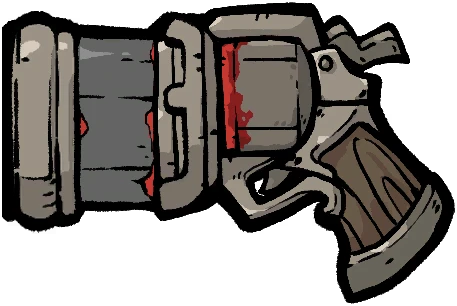
Weapons set the element and firing rhythm. Protect the route's main event before chasing a rare effect.
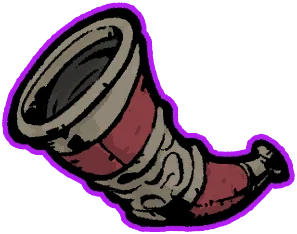
Compare weapon prioritiesRelics are trigger decisions. Ask whether the condition is already happening and what slot the relic replaces.
Read the War Horn decision
Skills should create or pay off the Hunter's engine. A skill from a different route is usually a delay.
Read the skill entryTarot changes a rule. Take it when your weapon, relics, and skill choices can exploit that rule immediately.
Read the Tarot entryUse the route you have, not the screenshot you wanted
Every Hunter page includes an early, mid, and late plan, boss and crowd guidance, and a missing-core fallback. Start with the route closest to your play style, then let the offers decide the exact loadout.
A short checklist for imperfect runs
A good build guide should still help when the ideal item never appears. Keep one reliable weapon, one answer for the next room, and one reason for every planned pivot. If the current run is losing to crowd pressure, adding a boss amplifier is not progress until the room is safe. If the run cannot trigger the engine often enough, a larger payoff does not repair the missing frequency.
Before taking a replacement, name the job it completes and the slot it costs. Then test the smallest change in Planner and carry the result into the next offer. This keeps a build guide connected to the run in front of you instead of turning it into a fixed shopping list. The final choice should be explainable in one sentence: what repeats, what it pays off, and what remains as the fallback.