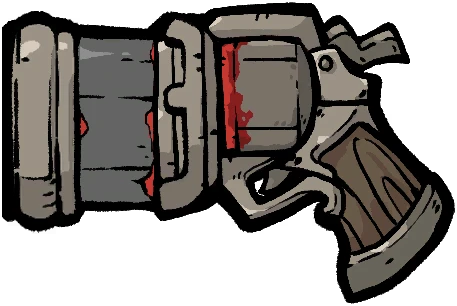
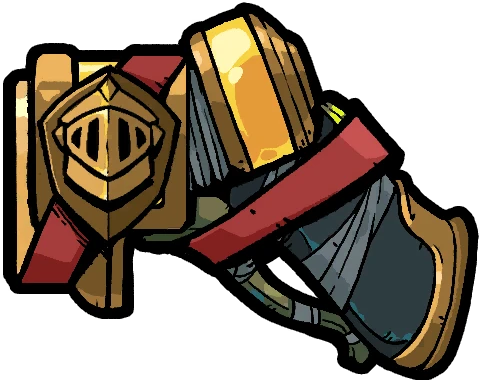
Weapon
Dash Knight
Mythic · lightning · Updated for patch 1.0.503
Quick answer
PICK IT WHEN
Keep it when lightning is the Transmutation your current relics and Tarot already reference. Its firing rhythm and effect matter more than the rarity label.
WATCH OUT
Switching weapons can abandon element progress. Only make the move when the new effect fixes a real problem or the old engine has stopped appearing.
What this item is trying to do
Dash Knight is not a universal upgrade. Its route tags are lightning, and that combination tells you what kind of problem the entry is meant to solve. Start with the current effect, then check whether your run is already producing the event that gives the entry value.
This page treats the effect and route connections as a decision aid, not as a promise of a fixed ranking. The current effect reads: “Single-variant lightning family.” That wording matters because a rarity label can stay the same while the route around it changes after a patch. The practical question is whether Dash Knightimproves the run you have, at the moment you can actually take it.
What the effect means in a run
A weapon changes the rhythm of the whole run. Judge it by element, reload time, target coverage, and the effects that its shots can repeatedly trigger.
lightning entries are more useful when the route can create repeated Lightning events rather than one isolated proc
The route connections point to the trigger it is explicitly connected to. It is also connected to no named Hunter route uses this entry as a core choice yet. Those connections are clues, not automatic instructions: a skill can be listed for a Hunter and still be the wrong answer when that run has a different immediate bottleneck. Compare the entry with the other offers on screen before spending the slot.
Early, middle, and late run decisions
Early run: prove the trigger
Early in a run, take Dash Knight only when you can say what it will do in the next few rooms. Keep it when lightning is the Transmutation your current relics and Tarot already reference. Its firing rhythm and effect matter more than the rarity label. If the entry needs a second item, a particular element, or a later checkpoint, mark that dependency and keep a simple fallback in mind. An early pick is valuable when it starts a route or removes a failure that is already happening; it is fragile when it asks the run to become something entirely different.
Middle run: check whether the route paid back
In the middle of the run, stop judging Dash Knight by the promise of its text. Look for the event it was supposed to improve: more useful shots, more controlled rooms, a cleaner boss window, or a safer route through the next checkpoint. If that event is not showing up, the correct move can be to keep the item as a placeholder while changing a support slot, or to pivot before the run spends another choice on the same idea.
Late run: protect the win condition
Late in the run, Dash Knight should have a job that can be named in one sentence. Keep it if it contributes to the trigger it is explicitly connected to and the effect is still active in the actual loadout. Replace or ignore it when the route has already solved that problem and a missing survival, reload, or target-coverage answer is now more likely to end the run.
Boss, crowd, and fallback use
For bosses, ask whether the entry improves sustained access to the target or only creates a brief high roll. For crowds, ask whether it reduces the number of dangerous enemies that remain after one action. Dash Knight has no explicit boss-or-crowd label here, so use the trigger and effect text to decide where it belongs.
If Dash Knight does not appear, use a replacement that preserves the same job rather than chasing the exact name. Related entries include Lightning Gun, Thunder Spike, Battery, Lightning Javelin. A lower-ceiling option that keeps the element, trigger, or survival plan intact is usually a better fallback than an unrelated rare drop. Switching weapons can abandon element progress. Only make the move when the new effect fixes a real problem or the old engine has stopped appearing.
How to test this pick without inventing DPS
- Write down the current Hunter, weapon, active tags, and the reason the run is considering Dash Knight. Do not change several slots at once; otherwise the result cannot tell you what helped.
- Open the Planner with Dash Knight selected and read the synergy explanation. Confirm that the entry is connected to a real trigger, not only to a shared word in the tag list.
- Test one crowded room and one durable target when the route reaches them. Record uptime, missed triggers, reload gaps, and the moment the run becomes safer or more fragile. A single run is an observation, not a universal damage measurement.
- Reopen this page after the next patch and compare the current effect with the previous one. If the tooltip changes, downgrade the advice until the interaction has been checked again.
Limitations and the next decision
The planner does not claim a measured DPS ranking for Dash Knight. It explains route fit from the current effect, tags, element, Hunter links, and evidence label. That is deliberately narrower than saying the item is always best. The useful output is a reasoned next choice that you can verify in the run.
If this entry fits, load it into the Planner and compare the next skill, relic, and Tarot choice. If it does not fit, return to the item library, filter by the missing trigger, and choose a replacement that fixes the failure you can actually see. That loop is more reliable than copying a static tier list without checking the run state.
Current effect text
Reloading at full magazine: Charges your bullets. ·Lv.1: Fires Flash Energy Bullet, dealing Lightning Damage equal to 500% Bullet Attack. ·Lv.2: Fires Piercing Shockwave, dealing Lightning Damage equal to 1000% Bullet Attack.
What this entry connects to
Need to see the interaction in a full loadout? The Planner scores the tags and element together, then flags conflicts instead of pretending it has measured DPS.
Test this decision in the Planner →Related picks
This page brings together the item's current effect, route connections, and practical tradeoffs. Compare it with the in-game tooltip after an update, then revisit the route. See how the sources are used.